
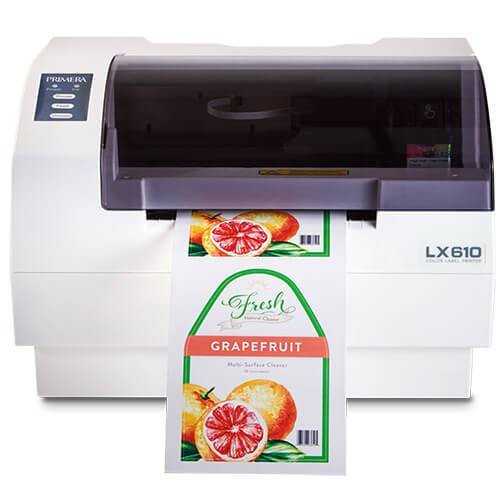
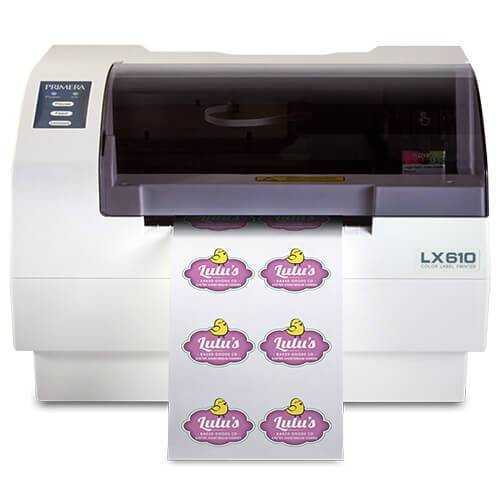
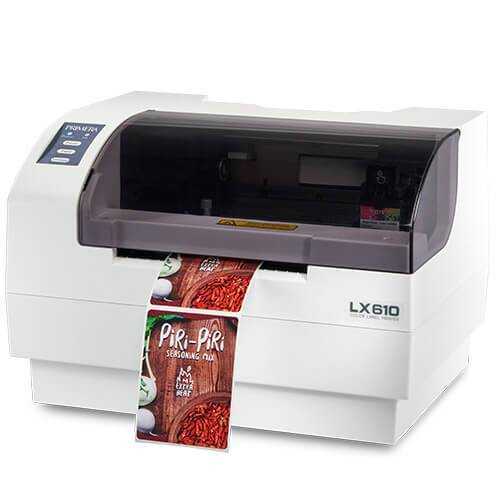
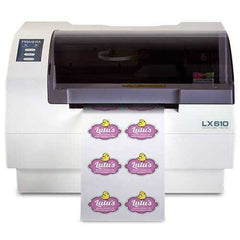
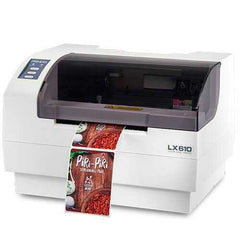


Primera LX610 Color Label Printer with Plotter and Cutter - print then cut to shape
The LX610 combines full-color inkjet label printing with an integrated die-cutting knife blade and pizza wheel cutter so you can output custom-shaped labels in one step. If you are checking Primera LX610 model price in the United States or comparing dye vs pigment inks, we can confirm the right setup and compatible labels in the United States for your workflow.
Why teams choose Primera LX610
The value punch
- Print and cut in one workflow for fast, professional product labels without outsourcing short runs.
- Built-in die-cutting knife plus pizza wheel cutter for clean shapes and efficient finishing.
- High-resolution output up to 1200 x 4800 dpi for sharp text, barcodes, and detailed graphics.
- Supports both pre die-cut label rolls and die-cutting on approved continuous stocks.
- Choose dye or pigment tri-color cartridge based on durability needs and label material.
- Compact desktop footprint for studios, small production lines, and batch labeling stations.
Best-fit industries
- Cosmetics and personal care
- Food and beverage (small batch)
- Specialty retail and artisan brands
- Promotional labels and seasonal runs
- Short-run product labeling teams
Digital die cutting
Cut rectangles, circles, squares, and more. Contour-style cutting can follow artwork outlines when configured for it.
Dye or pigment options
Run dye ink for vibrant color on many papers, or pigment ink when you need added durability and resistance.
Straightforward setup
USB connectivity keeps the workflow stable at the workstation, ideal for print and cut production batches.
Choose the right setup: Dye vs Pigment inks
LX610 Dye Ink Cartridge
Great for vibrant graphics on many paper-based label materials and everyday product labeling where maximum color pop matters.
LX610 Pigment Ink Cartridge
Better choice when your labels need added resistance for handling, scuffing, and tougher environments depending on material and application.
| Comparison | Dye ink | Pigment ink |
|---|---|---|
| Best for | High-impact color, rich gradients, everyday product labels on many papers. | More durable output needs, frequent handling, and demanding applications depending on media. |
| Recommended use | Paper labels and general purpose labeling where vibrancy is the priority. | Workflows prioritizing durability and resistance over maximum color saturation. |
| If you are unsure: Tell us your label material, finish, and environment (water, oils, refrigeration, abrasion). We will confirm the best ink choice and compatible labels. | ||
Want us to match your media and ink correctly? Contact us and we will verify compatibility before you order supplies.
Specs that matter for print and cut
| Print method | Thermal inkjet (dye or pigment cartridge options) |
| Ink system | Single high-capacity tri-color cartridge (Cyan, Magenta, Yellow) with process black output |
| Print resolution | Up to 1200 x 4800 dpi |
| Print speed | Up to 4.5 in/sec on pre die-cut media (digital die-cut speeds depend on cut shape) |
| Max print width | Up to 5 in (127 mm) on pre die-cut labels; up to 4.1 in (104 mm) when die-cutting |
| Print width range | 0.5 in (13 mm) to 5 in (127 mm) pre die-cut; 0.5 in (13 mm) to 4.1 in (104 mm) die-cutting |
| Media types | Roll-fed pressure-sensitive labels, roll-fed tags, fan-fold labels or tags |
| Media sensing | Moveable see-through sensor for die-cut labels; reflective sensor for black mark labels and tags |
| Roll capacity | Up to 6 in (152 mm) roll OD on 3 in (76 mm) core |
| Cutter | Built-in die-cutting knife blade plus pizza wheel cutter |
| Connectivity | USB 2.0 |
| Warranty | 1-year warranty (standard) |
Compatible labels that run clean
With a print and cut system, the label material and format matter. We help you pick compatible labels and the right ink type so you get clean feeding, accurate cuts, and consistent output in the United States.
How we help with the supply side
- Confirm whether your job is best on pre die-cut labels or approved continuous media for die-cutting.
- Match label material and finish to the right ink type (dye vs pigment).
- Verify sensor requirements (gap, black mark) and roll specs for stable feeding.
- Recommend supply options that support accurate cuts and clean edges.
- Help you reduce trial-and-error so your print and cut jobs stay predictable.
What to tell us for a perfect match
- Printer model: Primera LX610
- Label format: pre die-cut rolls or continuous media for die-cutting
- Material and finish: paper, film, gloss, matte, clear
- Cut shape needs: rectangle, circle, custom outline
- Environment: water, oils, refrigeration, abrasion, outdoor exposure
Send these details and we will confirm compatibility and recommend the right supplies in the United States.
FAQ
Should I use dye ink or pigment ink for the LX610?
What is the Primera LX610 price in the United States?
Which labels are compatible with the Primera LX610 in the United States?
What affects running cost and cartridge yield on the LX610?
Do you supply compatible LX610 labels and inks in the United States?
Want clean print and cut results on the LX610?
Tell us your label format, material, finish, and cut shape. We will confirm the best ink choice and compatible supplies in the United States.
U.S. ordering for Primera LX610 Color Label Printer
Prices are shown in USD. U.S. orders are dispatched from ForeFront's Canadian fulfillment location. Available shipping services and any import charges collected by ForeFront are displayed at checkout. Government or carrier charges not collected at checkout may still apply.
Equipment orders receive a compatibility and freight review. Ask for a written configuration check before placing a production-critical order.
Related Products
- From $4,100.00
- From $4,100.00
- Unit price
- per
- From $4,100.00
- From $4,100.00
- Unit price
- per
- From $4,100.00
- From $4,100.00
- Unit price
- per
- From $4,100.00
- From $4,100.00
- Unit price
- per
- From $4,100.00
- From $4,100.00
- Unit price
- per
- From $4,100.00
- From $4,100.00
- Unit price
- per
- From $4,100.00
- From $4,100.00
- Unit price
- per
- From $4,100.00
- From $4,100.00
- Unit price
- per
- From $4,100.00
- From $4,100.00
- Unit price
- per
- From $4,100.00
- From $4,100.00
- Unit price
- per


